ViewCaller: Caller ID & Block
- 4.3
- Rating
- 1.00M
- Installs
- Free
- Price

 Analysis by App-foxy
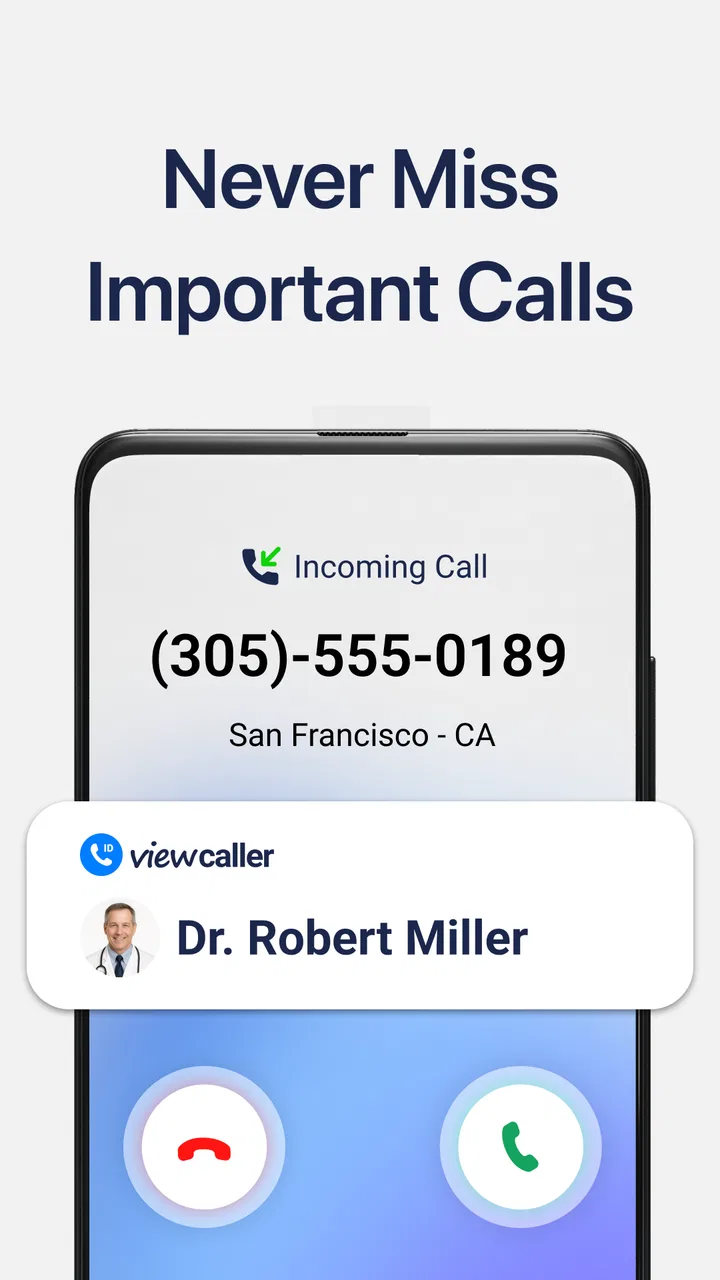
I installed ViewCaller: Caller ID & Block to see whether it could make everyday calling less distracting, and my overall impression is straightforward: it is a focused communication app for identifying incoming callers and dealing with unwanted calls. It is free to download, aimed at Everyone, and developed by Tap AI. The idea is simple, but the value depends heavily on how often unknown numbers interrupt you and how much control you want over your phone’s normal calling experience.
What I like most is that the app addresses a very specific annoyance instead of trying to become a complete messaging platform. When a call arrives from a number I do not recognize, the useful question is usually not “What else can this app do?” but “Should I answer this?” ViewCaller is built around that decision. Its other central task is reducing repeat interruptions by blocking calls that I do not want to receive.
The app has been available since April 17, 2018, and its current presence is substantial, with more than a million installs. It holds a 4.3 average from roughly 42 thousand ratings, which suggests that the basic concept works well for many people while still leaving room for different experiences depending on phone model, region, and personal expectations.
You May Also Like

 Blood Strike: 2.5 Anniversary
Blood Strike’s Loadouts Turn Every Drop Into a Tactical Gamble
A close look at Blood Strike’s custom loadouts: how fast access to signature weapons reshapes its battle royale rhythm, rewards preparation, and narrows the gap between fights.

 Pandora - Music & Podcasts
Pandora’s Music Is Easy to Start, but Harder to Recover
Pandora’s strength is its low-effort path from a seed to a station. Its weak spot is how much confidence it asks you to place in connection, setup, and quiet recovery.

 8 Ball Pool
 Is Built on Rivalries, Rematches, and Routine
A close look at the rivalries, rematches, shared routines, and unanswered safety questions that turn a quick pool match into a persistent mobile community.

 Samsung Music
’s Quiet Strength Is Playing What You Already Own
Its reach comes less from spectacle than from dependable access to a personal library. That simplicity is both the app’s strongest retention engine and its ceiling.

 AccuWeather: Weather Radar
AccuWeather Review: A Quick, Clear Forecast for Everyday Decisions
For everyday plans, the best forecast is the one you can understand quickly. AccuWeather makes rain timing, radar, and local conditions easy to act on, with a few trade-offs.

 Hill Climb Racing
Why Hill Climb Racing Still Turns Crashes Into One More Run
A tiny car, a bumpy hill and one more upgrade: Hill Climb Racing keeps resurfacing because its simple chaos makes every near-miss feel personal.
More From Our News Desk



How ViewCaller fits into daily calling
When I think about ViewCaller in a shared household, I see its value less as a family feature and more as a small aid for whoever happens to be handling the phone. A useful next question is how to keep that convenience from blurring personal boundaries, especially when one device or number serves more than one person.
A narrow tool with a practical purpose
In my experience, the best way to understand ViewCaller is as a layer around the phone’s caller experience rather than as a replacement for the phone app itself. You still use your usual calling habits, but the app is there to help you make a faster decision when a number appears without a familiar name. That narrow focus is a strength because it keeps the learning curve manageable.
A realistic example is a workday when I am waiting for a delivery, a repair technician, or a return call from a service provider. I may not recognize the number, yet ignoring every unfamiliar call is not practical. Caller identification gives me more context before I commit to answering. If the same unwanted source keeps trying again, blocking becomes more useful than manually dismissing each attempt.
That workflow is especially helpful for people who receive frequent calls from numbers they have never saved. It can also suit anyone who wants a quick way to separate potentially relevant calls from interruptions without maintaining a large address book. The app is less compelling for someone who rarely receives unknown calls or already feels fully served by the caller ID and blocking tools built into their phone.
What the present experience does well
The strongest part of the product is the combination of identification and action. A caller label by itself may answer the first question, but it does not necessarily solve the problem of repeated nuisance calls. ViewCaller connects recognition with the option to block, so the user can move from uncertainty to a practical choice without creating a complicated routine.
I also appreciate that the concept is easy to explain to another person. If a family member asks what it does, the answer is clear: it helps identify callers and stop unwanted ones. That clarity matters in a communication app because people often install these tools when they are already frustrated. They do not want a long setup project before receiving any benefit.
There is also a useful distinction between temporary caution and permanent action. If I am unsure about an unfamiliar number, identification can help me decide whether to answer or wait. If a number has become a repeated nuisance, blocking is the more decisive response. Treating those as separate choices is more sensible than automatically blocking every caller who is not already in my contacts.
How I would set expectations before installing
I would not describe ViewCaller as a guarantee that every unwanted call will disappear. Caller identification is only as useful as the information available for the number being presented, and nuisance callers can use changing or disguised numbers. The app can improve the decision-making process, but it cannot turn an unpredictable phone network into a perfectly labeled list.
I would also expect some initial adjustment while learning how the app fits alongside the phone’s own calling controls. A person should pay attention to which system is handling blocking and how identified calls appear in practice. This is not a reason to avoid the app; it is simply a reminder that communication tools work best when their behavior is checked after installation rather than assumed.
For privacy-conscious users, caller identification deserves a little thought before becoming part of a daily routine. I would review the app’s requested access and the phone’s own settings, then decide whether the convenience is worth it for my situation. Someone who is uncomfortable with any additional calling utility may prefer to stay with the built-in options, even if that means handling more unknown calls manually.
Changes and product maturity
The confirmed release history shows that ViewCaller has been available for several years, which gives it a more established position than a brand-new experiment. That matters because communication apps need time to encounter different calling habits, device configurations, and patterns of unwanted contact. Its continued availability and install base indicate that the basic problem it addresses remains relevant.
At the same time, the age of an app should not be confused with proof that every part of it has evolved equally. A long-running caller tool still needs to feel comfortable on current phones, and users should judge it by the present experience rather than by the fact that it first appeared years ago. I would pay attention to how smoothly it works with my device before making it my only defense against unwanted calls.
The developer, Tap AI, positions the product around the caller-identification and blocking experience rather than a broad collection of communication features. That focused direction is visible in the app’s identity: it is not trying to compete with a full messaging service, a social network, or a business phone system. Its evolution is therefore best judged by the quality of those core actions, not by the number of unrelated extras it might add.
For existing users, the most meaningful improvement over time would be less friction between seeing an incoming number and deciding what to do with it. Even without assuming particular updates or new tools, that is the standard I would use: does the app remain quick, understandable, and dependable during an actual interruption? A caller utility earns its place by saving attention, not by demanding more of it.
What existing users should do differently
If you already use ViewCaller, I would treat it as a decision aid rather than an automatic answer to every unknown call. Let identification inform the first response, but keep your own context in mind. A call that looks unfamiliar may still be important, especially when you are expecting contact from a company, clinic, delivery service, or temporary workplace number.
My practical habit would be to review blocked numbers occasionally. Blocking is useful, but a list that grows without any thought can eventually include a number you may need later. A quick review is also a good way to notice whether the app is reducing repeated interruptions or whether the same callers are simply changing numbers.
Another useful workflow is to combine the app with normal contact organization. Save trusted numbers when appropriate, keep important service contacts easy to recognize, and use ViewCaller for the uncertain middle ground. This avoids turning the app into a substitute for a well-maintained address book. The best result comes from letting known contacts stay familiar while the app helps with numbers outside that circle.
I would also avoid making a rushed blocking decision while distracted. If I am driving, working with a customer, or waiting for an important call, I would rather silence or ignore an uncertain call first and investigate later than block a number immediately. The app can support better choices, but the user still needs to decide how permanent the response should be.
Where it compares with usual alternatives
The obvious alternative is the caller ID and blocking system already included with a phone. That option has a major advantage: it is already integrated, so there may be less setup and fewer moving parts. If your built-in tools identify enough calls and let you block unwanted numbers comfortably, adding another app may not change your routine very much.
ViewCaller becomes more attractive when the default experience feels too limited or when you want a dedicated tool centered on unknown callers. Its value is not that it replaces every phone feature; it is that it gives this one problem more attention. For people who regularly receive unfamiliar calls, that focus can be more useful than a general-purpose phone utility with a long list of unrelated settings.
It also differs from a full communication app. Messaging platforms are designed for conversations, contacts, and ongoing exchanges, while ViewCaller deals with the moment before or during a phone call. If your main problem is organizing chats, making internet calls, or managing group conversations, this is not the right category of solution. Its usefulness begins with the ordinary phone number and ends with the decision to answer, ignore, or block.
Paid caller services may offer a different experience, but ViewCaller is free to start. That lowers the barrier for someone who wants to test the idea rather than commit immediately. The app does include in-app purchases ranging from $2.99 to $89.99 per item, so I would check the purchase screen carefully and decide whether the free experience already meets my needs before paying for anything.
Small details that matter in real use
The first non-obvious lesson is that identification is most valuable before you create a habit of answering every unfamiliar call. If you always pick up first and investigate later, the app’s main advantage is reduced. I would use the information at the moment the call arrives, especially when I am busy, and reserve callbacks for numbers that make sense in context.
The second is that blocking should be used selectively. A broad “block anything unknown” approach may sound efficient, but it can interfere with legitimate first-time callers. I prefer a two-step method: observe the caller information, decide whether the call has a plausible reason to reach me, and block only when the pattern or context justifies it.
The third is that the app is more useful for attention management than for detective work. I would not install it expecting a complete explanation of every number. Its practical role is to reduce uncertainty enough for a quick decision. That distinction keeps expectations realistic and prevents disappointment when a caller remains unidentified.
A fourth insight is that the app may be most valuable during periods when your number is unusually exposed, such as after contacting several services or posting a number for a temporary purpose. In those situations, I would monitor the call experience closely and use blocking thoughtfully. Once the busy period ends, reviewing the blocked list becomes more important because temporary contacts may no longer matter.
Who should use it, and who should skip it
I would recommend ViewCaller to people who receive enough unknown calls that answering them interrupts work, rest, or family time. It is also a sensible trial for users who want a dedicated caller-focused tool without paying upfront. The Everyone age rating makes it broadly approachable, although each person should still choose settings that fit their own comfort level.
It is a particularly good match for someone who needs to remain reachable but cannot afford to answer every call. A freelancer waiting for new clients, a parent expecting a school or service call, or a person managing appointments may benefit from having more context before responding. In those cases, the app helps preserve availability without requiring blind trust in every unfamiliar number.
I would be more cautious about recommending it to someone who receives very few calls, never answers numbers outside their contacts, or already has a satisfactory built-in blocking system. The extra app may add little. I would also suggest that users with strict privacy preferences compare the convenience against their comfort with a specialized caller utility before relying on it every day.
Cost, support, and long-term expectations
Because the app is free to download, trying it is relatively easy. The in-app purchase range is wide enough that I would not assume every useful option is included in the same way for every user. Before confirming a purchase, I would read the exact offer, check whether it is genuinely relevant to my calling habits, and avoid paying simply because a blocked call has made me frustrated.
The rating picture is encouraging but not definitive. A 4.3 average from around 42 thousand ratings tells me that many users find the product worthwhile, while the presence of 148 written reviews means I would still look at the actual comments that match my phone and region. Ratings are useful for spotting broad satisfaction, but they cannot predict how every number will be identified on an individual device.
For long-term use, I would watch three things: whether incoming calls remain easy to interpret, whether blocking behaves as expected, and whether the app continues to fit comfortably beside the phone’s own controls. Those are more important than a crowded feature list. If any of them becomes confusing, I would reconsider whether a built-in alternative is simpler for me.
What I would watch next
The future of a caller app like this depends on keeping pace with changing call patterns without making the user work harder. I would want future development to preserve the quick, focused nature of ViewCaller while improving clarity around identification and blocking decisions. The best update would be one that helps me act with confidence, not one that adds screens I have to manage during an incoming call.
I would also watch how the app handles the balance between convenience and control. Automatic protection can be helpful, but users need understandable ways to review what happened and correct mistakes. A caller tool should make it easy to recover from an overly aggressive block and easy to recognize when a number deserves attention.
My final verdict is positive but measured. ViewCaller: Caller ID & Block is a sensible choice if unknown calls are a recurring interruption and you want identification and blocking in one focused communication app. It does not remove the need for judgment, and it should not be treated as a perfect directory of every caller. Still, for the right user, it can turn an annoying split-second decision into a calmer, more informed one.
I would start with the free experience, test it during a normal week, and pay attention to whether it actually saves time rather than adding another layer to the phone. If it helps me recognize relevant calls and stop repeated distractions without getting in the way, it has earned a place on my device. If my phone already handles those tasks well, I would skip the extra layer and keep the simpler setup.
FAQs for ViewCaller: Caller ID & Block
01What is ViewCaller: Caller ID & Block, and how does it work?
ViewCaller: Caller ID & Block is designed to help identify incoming callers and reduce unwanted communication. When a call arrives, the app may compare the number with its caller database and display available information, such as a possible name or spam category. It can also help users review suspicious calls and block numbers they do not want to contact them again.
02Does ViewCaller identify every unknown phone number accurately?
No caller identification service can guarantee perfect results for every number. ViewCaller’s results depend on the quality and availability of information in its database, as well as regional coverage and user-submitted reports. Some numbers may appear without details, while others could be incorrectly labeled or associated with outdated information. Treat displayed caller information as a helpful indication rather than official proof.
03Can I use ViewCaller to block spam calls and unwanted numbers?
The app includes tools intended to help users block unwanted callers and manage suspicious numbers. Depending on your device and operating-system settings, you may need to grant permission for ViewCaller to access call-related features or enable blocking manually. Blocking behavior can vary between Android and iOS, so it is worth checking the app’s settings and your phone’s native call-protection options.
04What permissions and personal information does ViewCaller require?
Caller ID and blocking applications commonly request access to phone-related functions, contacts, notifications, or call information so they can identify incoming calls and apply blocking rules. Before accepting, review the permission explanations and ViewCaller’s current privacy policy. Avoid granting access that does not appear necessary, and remember that privacy settings and available permissions may differ depending on whether you use Android or iOS.
05Is ViewCaller: Caller ID & Block free to download and use?
ViewCaller may be available to download without an upfront charge, but some features can depend on advertising, in-app purchases, subscriptions, or regional availability. Before activating a trial or premium option, check the pricing page carefully, including renewal terms and cancellation instructions. Also confirm that the version offered in the official Google Play Store or Apple App Store matches your device.
Pros
- Identifies many unknown callers before you answer.
- Blocks suspected spam and scam numbers automatically.
- Reverse phone lookup helps reveal caller details.
- Simple interface makes call screening quick and accessible.
- Useful search history helps revisit previously checked numbers.
Cons
- Caller information may be limited for private or unlisted numbers.
- Some advanced features may require a paid subscription.
- Spam detection accuracy can vary by country and region.
- The app may need access to call-related permissions to work fully.
- Background caller identification can affect battery and data usage.

ViewCaller: Caller ID & Block
Gallery